Fred Family
A Private AI for the Whole Family
The short answer. Fred Family adds private, PIN-locked rooms, a parents’ console, and the Beacon family map to Fred on your own computer. When a room uses a cloud model, its prompts and the context needed for each request go to your chosen provider. Fred is BYOK: connect your own model access, with access and usage billed separately by your chosen provider.
Rooms
One Fred, one room each
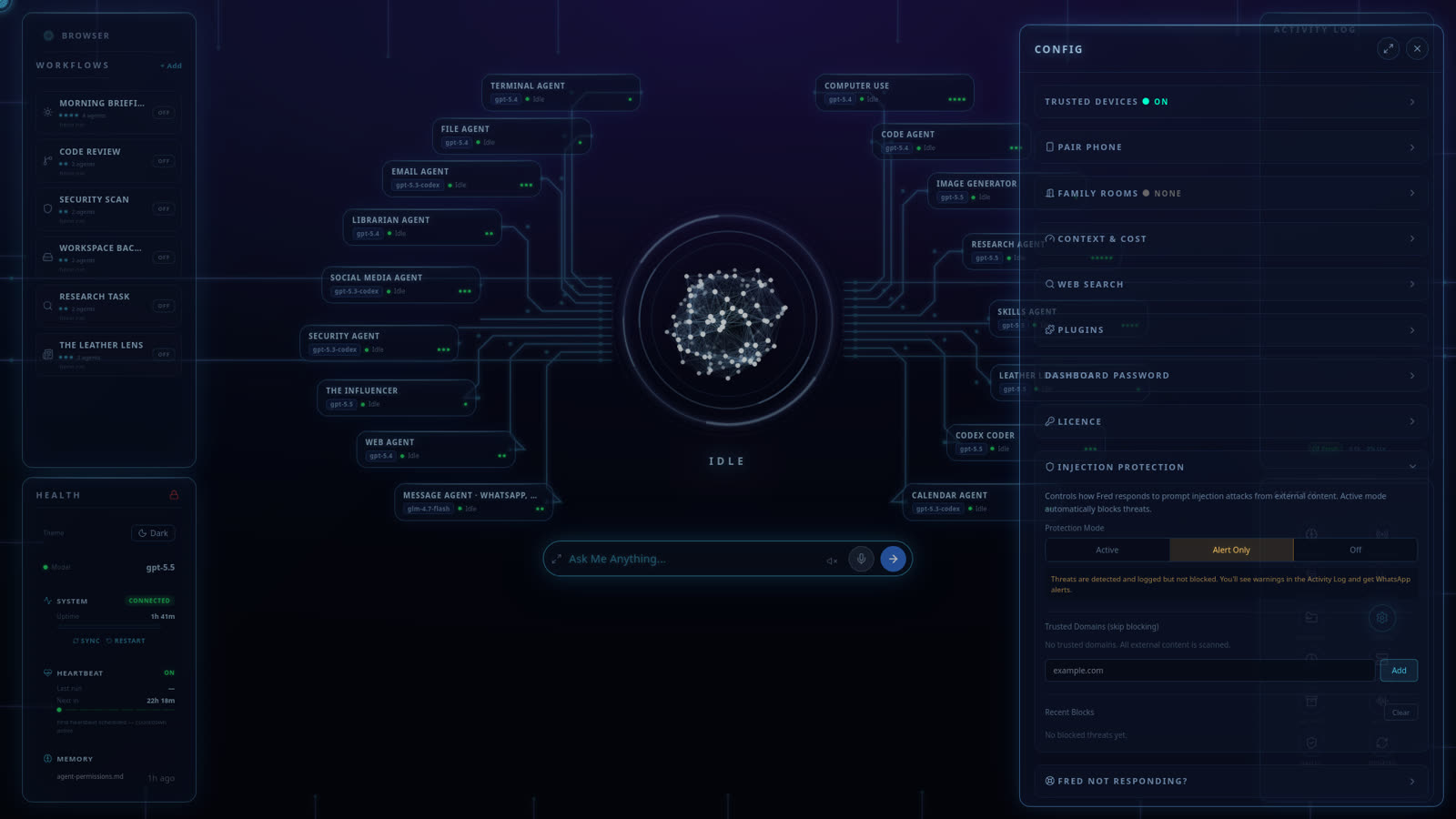
The optional Fred Family upgrade (+$99 one-time, unlocked inside Fred) gives each person in the house their own room: their own conversation with Fred, behind their own PIN, on the machine in your home. Your daughter's questions about friendship drama, your son's essay drafts, your own late-night what-am-I-doing-with-the-business thread — separate rooms, separate threads, one household assistant who knows the difference.
Parents create and manage the rooms from a console on the dashboard — the household's AI is administered by the household, with each room's conversation staying behind its PIN.
Beacon
Where the family is — told only to the family
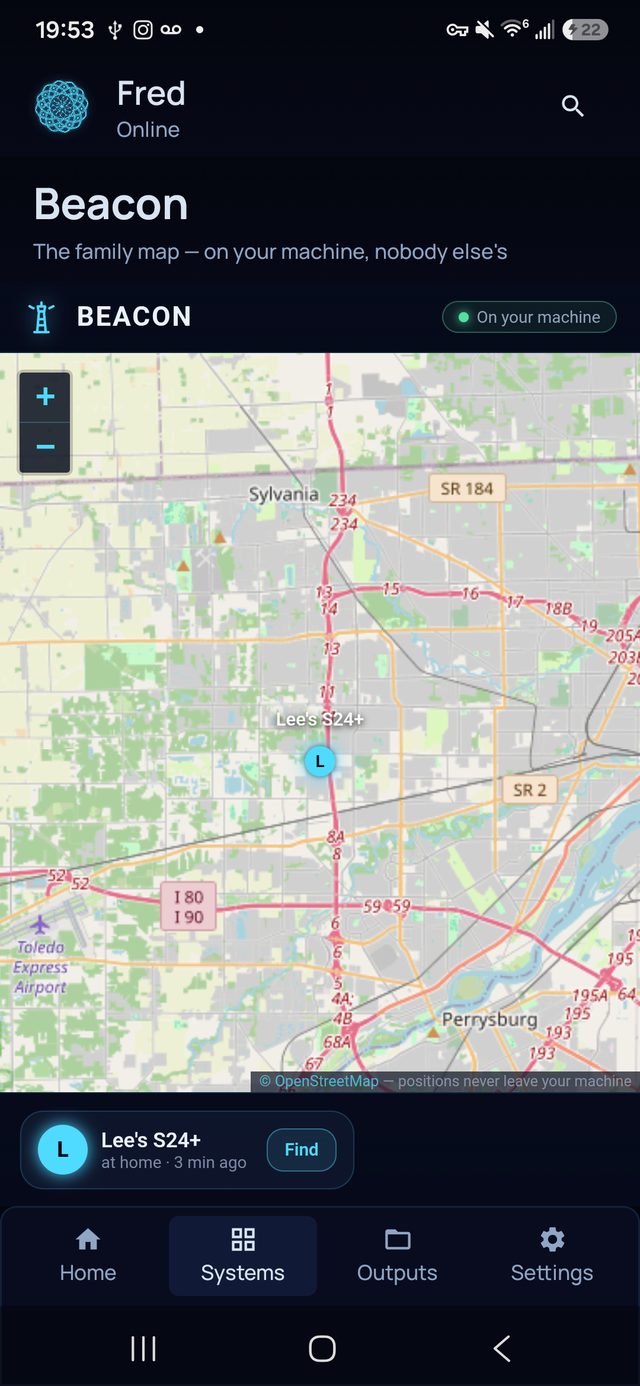
Beacon is the part that makes visitors stop: a live street map of the family, places with arrive-and-leave announcements ("Maya arrived at school"), and a find-my-phone radar with a ring button. What makes it different from every locator app on the store is one architectural sentence: every position is stored and drawn only on your own machine. No location company, no ad network, no server logs of a nine-year-old's daily route. Beacon has its own page if this is the feature that brought you here.
What families use it for
A week in a Fred household
- Homework, honestly. Research help and explanation in a kid's own room — with the family able to decide, at the dashboard, what the household AI may and may not do.
- The household brain. "When's the dentist?" "Draft the note to the landlord." "What did we decide about summer camp?" — asked from any room, or by text over WhatsApp/Telegram from any phone, including iPhones.
- Arrivals, without asking. Beacon announces school arrivals and home-agains; the ring button finds the phone under the sofa cushion.
- The parents' own thread. Money admin, work drafts, planning — in your room, behind your PIN, off your kids' screens.
The honest part
What we won't pretend
- AI is not a babysitter. Fred inherits the behaviour of the AI model you choose and the rules you set; parental judgement stays the load-bearing wall. We built the private rooms because families deserve privacy — not because software replaces parenting.
- Thinking travels on your key. Conversations stay on your machine; when cloud AI thinking is needed, the request goes directly from your device to your chosen provider on your own key. Six Days West never sees it and collects no telemetry.
- Platforms: the family machine runs Windows 10/11 or Ubuntu-class Linux; the phone app (voice, Beacon map, rooms in your pocket) is Android — though any phone can text Fred over WhatsApp or Telegram.
Pricing
The household, covered
Fred’s software licence is $99. It includes the dashboard, agents, workflows, Android app, and owner’s guide. Connect your own model access; your provider bills separately for access and usage. One machine is licensed at a time, with a 14-day refund window.
Software licence: $99 once · Model-provider charges separate · 14-day refund window
FAQ
Questions people ask
Does each family member get their own space?
Yes. Fred Family adds a private, PIN-locked room for each person in the house — their own conversation with Fred, on the family machine. Parents create and manage the rooms from a console on the dashboard; each room's conversation stays behind its PIN.
What is Beacon?
The family locator: a live street map of the family, places with arrive-and-leave announcements, and a find-my-phone radar with a ring button. Every position is stored and drawn only on your own machine — no location-data company in the loop.
Is this safe for kids to use?
Fred inherits the safety behaviour of the AI model you chose, and the family machine is configured by you — permission matrices and approval gates included. It's a family tool under parental judgement, not a babysitter; we'd tell you if we thought otherwise.
What does Fred Family cost?
Fred Family is a one-time $99 software upgrade on top of Fred’s $99 licence, unlocked inside Fred. Your model access and usage remain separate from both software purchases.
Why not just give the kids a chatbot account?
Because then their conversations live on a corporate server under terms none of you control. On the family machine, the household's questions, homework help, and locations belong to the household.
Before you go
Not ready to spend $99? Take the honest guide instead.
The Straight-Answers Guide to Owning Your Own AI — every hard question on these pages, answered without the sales voice. Free, by email.
Software licence: $99 once · Model-provider charges separate · 14-day refund window
Keep reading