The setup objection, answered
AI Agents Without the Setup Nightmare
The short answer. You've heard agents are the future of AI — specialists that actually do work instead of just chatting about it. What the demos never show is the setup: the terminal, the config files, the API wiring, the permissions you're somehow supposed to design yourself. If that's the wall between you and agents, this page is the door. Fred ships eighteen agents preconfigured, behind a wizard installer, for $99 once. Think agents are too complicated to set up? That's the exact problem this product was built to delete. Let Fred handle that. Fred is BYOK: connect your own model access, with access and usage billed separately by your chosen provider.
The wall, honestly
What "just set up some agents" really means DIY
We're not going to pretend the fear is irrational. The do-it-yourself route — genuinely free, genuinely powerful — asks you to: install an engine from a terminal, define each agent's role and tools in config files, design permission policies (get them wrong and your agent is either paralysed or dangerously free), wire up API keys, pair messaging channels, and then keep all of it working as the stack updates. Developers enjoy that. If you don't, the industry's answer so far has been "learn."
The door
Fred's entire setup, in full
- Install it like any app. Windows 10/11 (x64) or Ubuntu-class Linux (x64). A wizard, not a terminal.
- Paste one AI key when asked. The wizard walks you through creating it — Claude, OpenAI, or Google Gemini, or a local model via Ollama. Once.
- Meet Fred. That's the end of the setup. There is no step three.
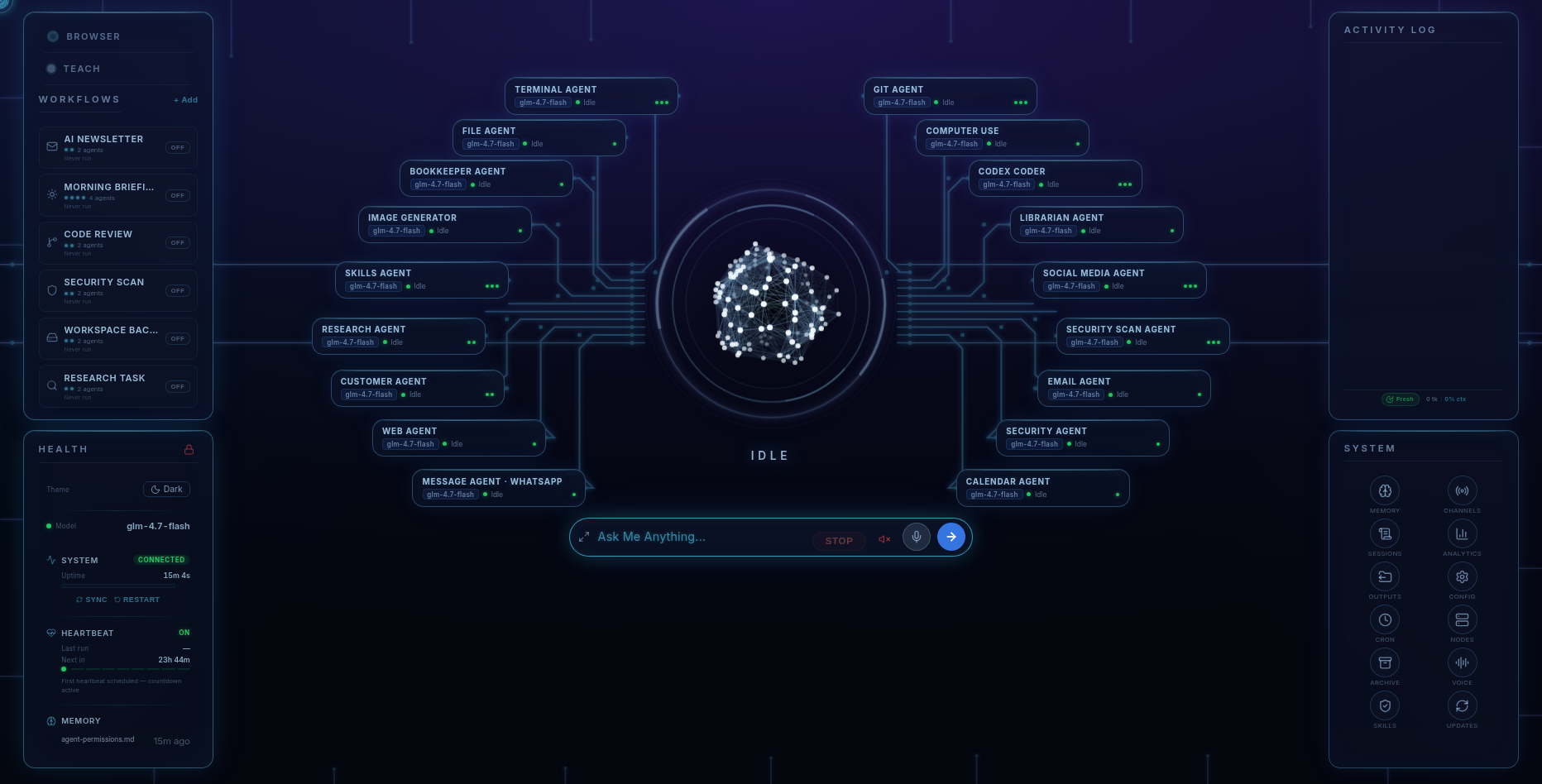
The eighteen specialists — Email, Research, Bookkeeper, Social, Security, Codex Coder, Image Generator, Files, Web, Calendar, and more — arrive already configured: roles defined, permission matrices set, approval gates on anything sensitive. The thousand decisions DIY hands you were made by people who make them for a living, and every one stays visible and changeable on the dashboard.
Day one
What "working" looks like ten minutes in
- Ask for something real: "research the best three options for X and give me a report" — the Research agent handles it; you watch it work.
- Turn on a workflow: the Morning Briefing preset starts reporting to you tomorrow, unattended.
- Text from your phone: pair WhatsApp or Telegram and Fred is in your pocket — any phone, iPhone included.
- Change anything: every permission and model choice is a visible control, not a hidden file.
Straight answers
What we won't pretend
- "Zero setup" doesn't exist anywhere. You'll spend a few wizard-guided minutes creating a provider key, and the install needs ~15 GB free disk and an internet connection. Anyone promising literally zero steps is hiding a cloud account you don't control.
- Preconfigured isn't imprisoned. Everything the wizard decides for you remains yours to change — that's the difference between a head start and a cage.
- If you'd enjoy the DIY wall, it's genuinely free and we compare the two routes honestly here.
Pricing
The setup you skip is the product
Fred’s software licence is $99. It includes the dashboard, agents, workflows, Android app, and owner’s guide. Connect your own model access; your provider bills separately for access and usage. One machine is licensed at a time, with a 14-day refund window.
Software licence: $99 once · Model-provider charges separate · 14-day refund window
FAQ
Questions people ask
What does setting up Fred actually involve?
Install it like any app on Windows 10/11 or Ubuntu-class Linux, and paste in one AI key when the wizard asks (it walks you through creating one). That's the whole setup. The 18 specialist agents arrive already configured, with sensible permissions and approval gates set.
Do I need Docker, YAML, or a terminal?
No, none of them, ever. That's the point of Fred. The open-source DIY route genuinely involves those things — we compare it honestly on the DIY page — but Fred exists so you never meet them.
What do the 18 agents do out of the box?
Email and inbox, research and reports, bookkeeping and invoices, social media, customer follow-ups, files, web, calendar, security auditing, coding, image generation and more — each a specialist, all coordinated by one Fred you talk to from the dashboard or by text.
What if I want to change how an agent behaves?
From the dashboard: permissions, models, and workflows are visual controls. Installable skills from the ClawHub catalog extend agents without code.
What setup honestly remains?
Creating your AI provider account and key (a few minutes, wizard-guided), ~15 GB free disk during install, and an internet connection. If someone promises agents with literally zero steps, they're hiding a cloud account you don't control.
Before you go
Not ready to spend $99? Take the honest guide instead.
The Straight-Answers Guide to Owning Your Own AI — every hard question on these pages, answered without the sales voice. Free, by email.
Software licence: $99 once · Model-provider charges separate · 14-day refund window
Keep reading